Contact us info@churchcrm.pro

Children & classes

Sunday School software with attendance and classroom check-in

Sunday School software in Church CRM covers classes, teachers, sessions, and attendance. Families can check in from a class QR code while teachers mark the room.

A smiling toddler with finger paint on her face and hands

Add a class with a photo, assign members or staff as teachers, and open a session for the morning. Mark present, bulk check in or out, and add a walk-in when a child arrives with a guest family. Optional class gifts can connect to finance and send a confirmation email.

Teachers mark attendance from the member portal, so the church office is not the only place a roll can be taken. Reports include an overview, day register, class list, student view, and a matrix that exports to Excel.

Sunday school software covers the class, the teacher, and sunday school attendance. Children ministry software and church class management belong in the same roll. Sunday school teacher tools let a teacher mark the room, classroom qr check-in opens from the class code, and the church attendance register can be exported when the office asks for the morning.

Sunday school management software includes Sunday school attendance software and a Sunday school registration system for the class list. Church classroom check-in and Sunday school teacher attendance tools are how the teacher marks who is in the room.
An open Bible, notebooks, and coffee on a table during a small group study

What your team can do

  • Classes

    Photos, featured shortcuts, and a roster of students.

  • Teachers

    Members or staff assigned to a class, with a teacher view in the portal.

  • Attendance

    Present, bulk check-in, bulk check-out, and walk-ins.

  • QR kiosk

    A public class check-in link opened from the classroom code.

  • Registers

    Day, class, student, and matrix reports, including Excel.

Inside Sunday School

Each screenshot is paired with the work your team does on that screen.

Classes

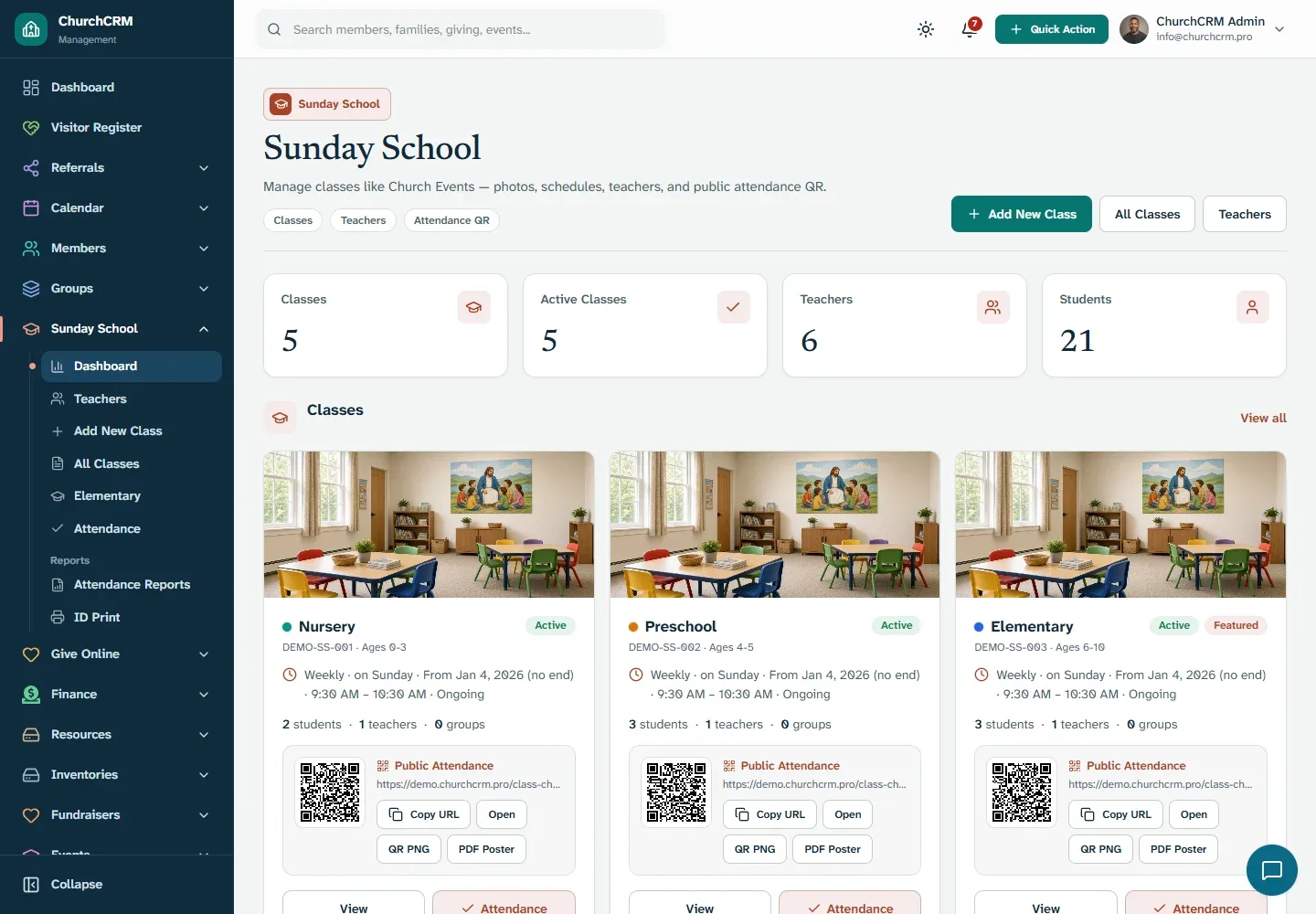
Sunday school software lists every class with a photo, a featured shortcut, and a roster of students. Children ministry software and church class management start on this screen: add the class, then open a session for the morning. Optional class gifts can connect to finance and send a confirmation email when that option is used.

Church CRM Admin portal screenshot: Sunday School classes
Sunday School classes

Teachers

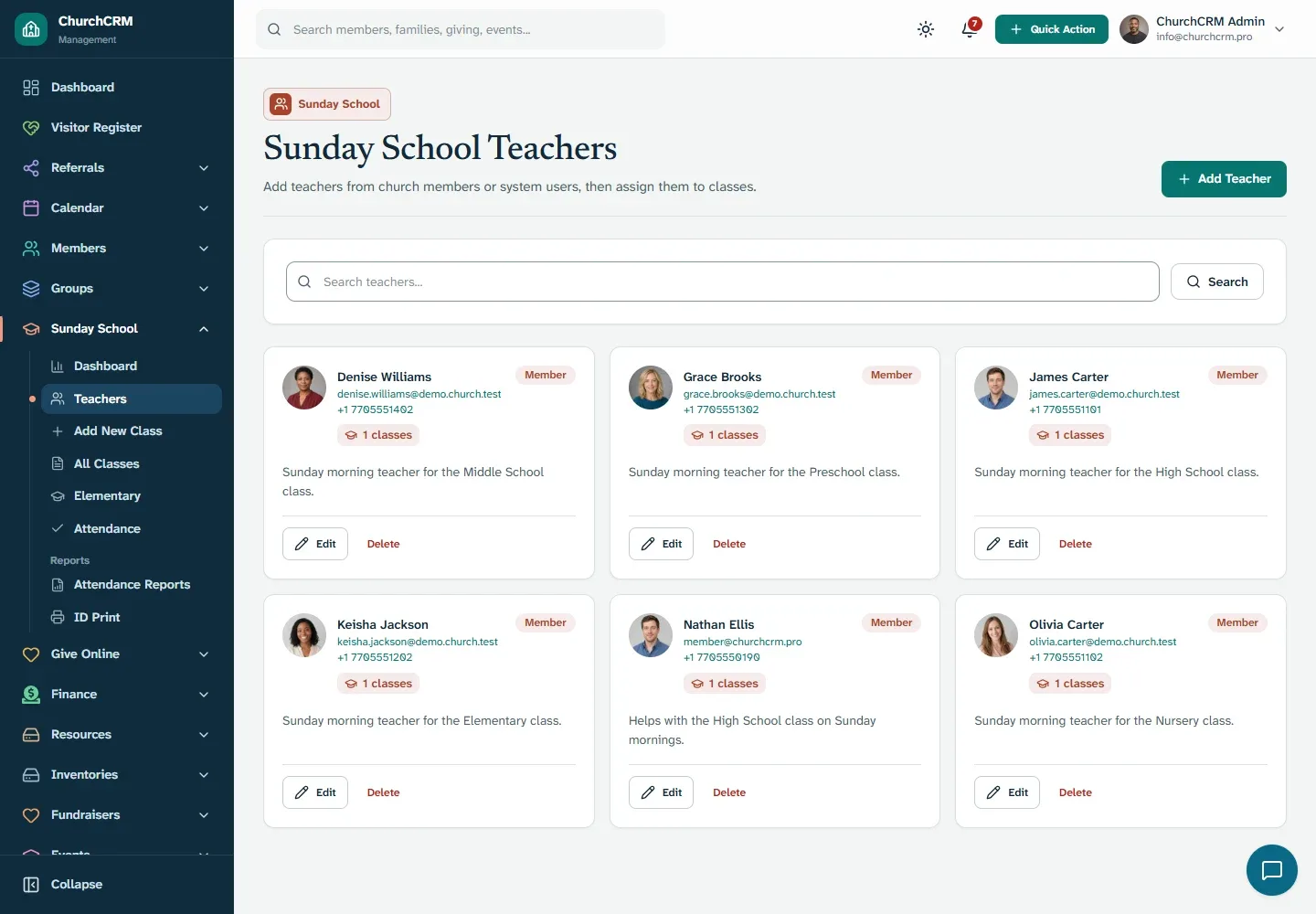
Sunday school teacher tools assign a member or a staff user to a class. That teacher can mark attendance from the member portal, so the church office is not the only desk that can take the roll. The assignment is the same person record already in the member database.

Church CRM Admin portal screenshot: Sunday School teachers
Sunday School teachers

Attendance

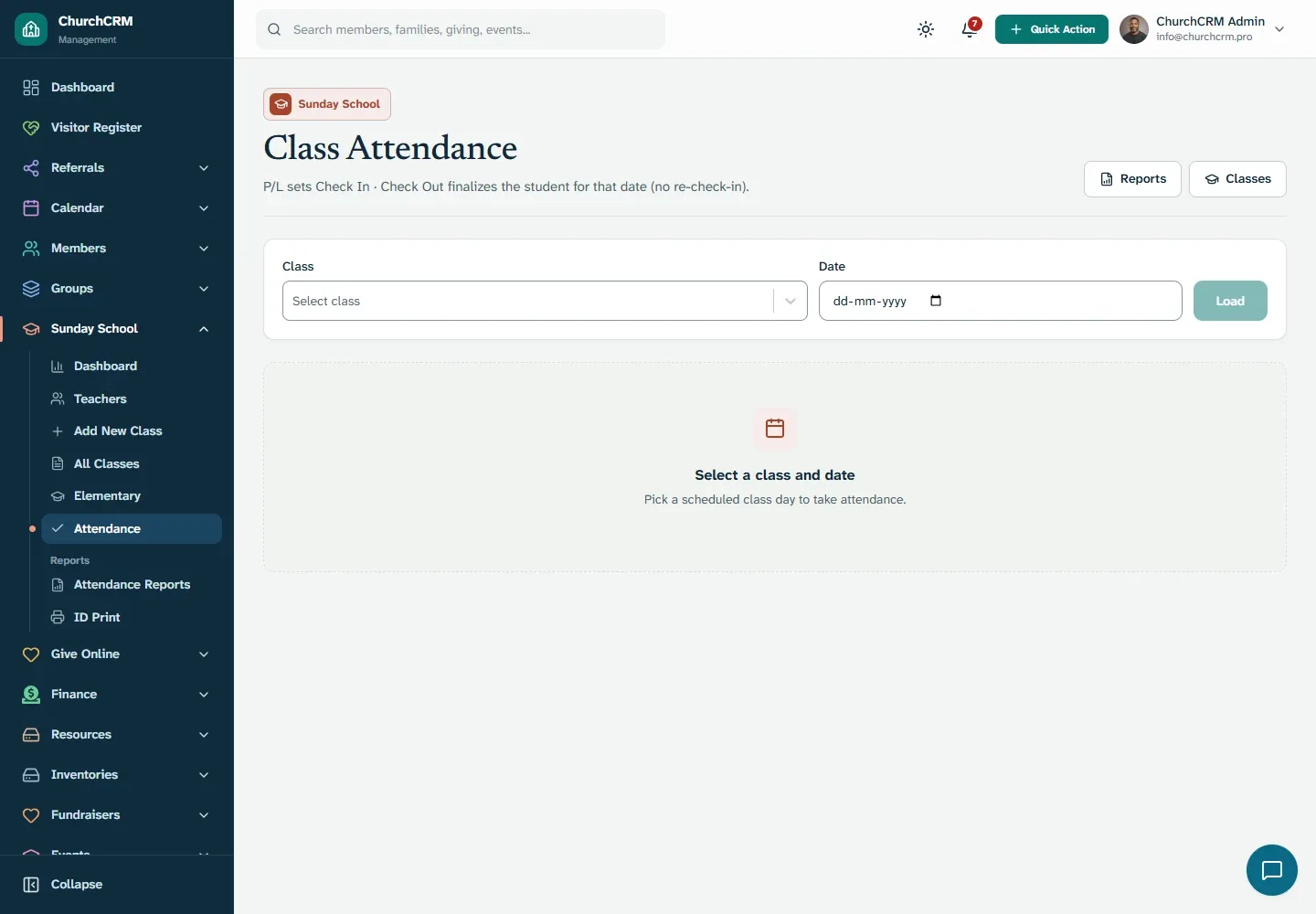
Sunday school attendance records who is present, supports bulk check-in and bulk check-out, and adds a walk-in when a child arrives with a guest family. The church attendance register exports to Excel, including a matrix of the morning. Day, class, and student reports sit with that same session.

Church CRM Admin portal screenshot: Sunday School attendance
Sunday School attendance

Classroom QR

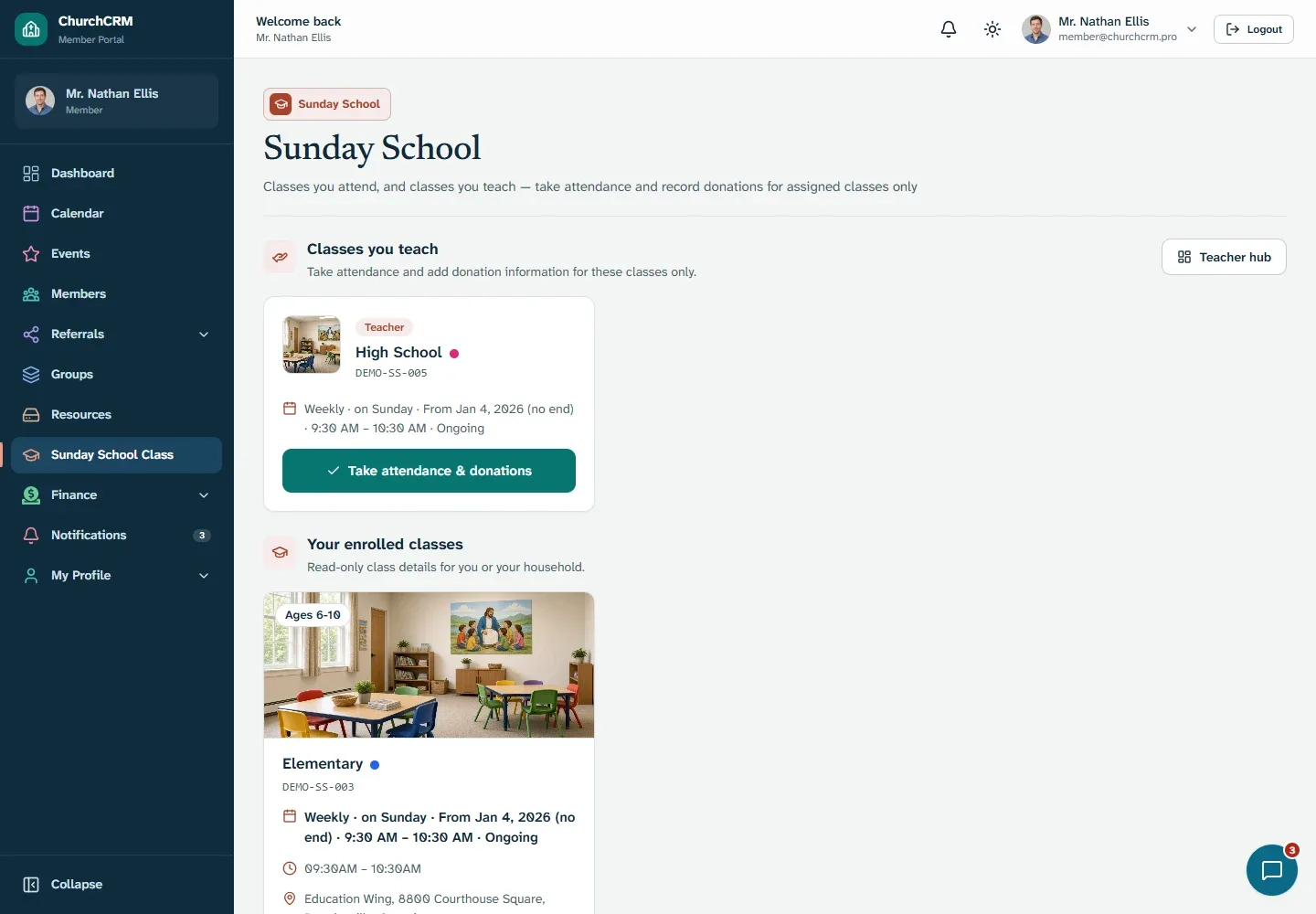
Classroom qr check-in opens from the class token so greeters are not sharing a staff password on the tablet. Families use the public class link. Teachers still mark the room from their own portal login, which is a different door from the kiosk.

Church CRM Member portal screenshot: Member Sunday School
Member Sunday School

See class day from the roll to the QR code

Teachers, attendance, and classroom check-in can be shown together.

See child check-in

Request a demo

Tell us about your congregation. We will follow up about a walkthrough or a quote.

Country code

Or write directly to info@churchcrm.pro.