Contact us info@churchcrm.pro

People care

A church member database for families, photos, and ID cards

Church CRM is a church member database for the people you shepherd. Store photos, households, classifications, medical notes, and printable ID cards without a second spreadsheet.

A father carrying his two young sons outdoors, all smiling

Staff add and update members, assign a family role, and keep services of interest beside the record. Guest signups and direct signups land in a queue. When a member edits a photo or a household asks to add someone, the change can wait for approval so the directory stays trustworthy.

The photo directory and family map help pastors see the congregation as households, not only as rows. CR80-style ID cards carry a QR code and can be exported to PDF or PNG. Members open their own card from the portal.

A church member database is the heart of church membership software. Church directory software and an online church directory keep households findable, while church people management and church family records hold the details staff actually need. Household management for churches includes the photo, the role, and the children in one family.

A church photo directory and church member id cards, including printable church id cards, give the office something to hand someone on Sunday. The member self service portal lets a household update its own details, and family registration church requests can wait for approval before they change the roll.

Church member records software is the same church membership database the office already keeps. Church family management software and church household management hold parents and children together. Church member directory software is the directory you open or print. A church member self-service portal, a church family portal, church online member registration, and church member profile management are the household side of that record.
A large group of families, teens, and children gathered on a forest road

What your team can do

  • Complete records

    Photo, classification, family role, contact details, and portal access on every person.

  • Households

    Families with an owner, members, documents, and duplicate-name checks.

  • Care notes

    Allergies, diet, and medical conditions available when children are checked in.

  • Approvals

    Profile edits, new family members, and new household requests stay in a queue.

  • Directory and map

    A photo grid plus a map of family locations for visits and care.

  • Reports

    Rosters, birthdays, anniversaries, new members, inactive people, and households export to CSV, Excel, or print.

Inside Members & Families

Each screenshot is paired with the work your team does on that screen.

Member records

Open one person and the church member database shows the photo, classification, family role, contact details, and whether that person can sign in to the member portal. Services of interest stay on the same record. Guest signups and direct signups wait in a queue, so a new name does not change the directory until staff accept it. Church membership software and church people management stay on this screen instead of a private spreadsheet.

Church CRM Admin portal screenshot: Member records
Member records

Family households

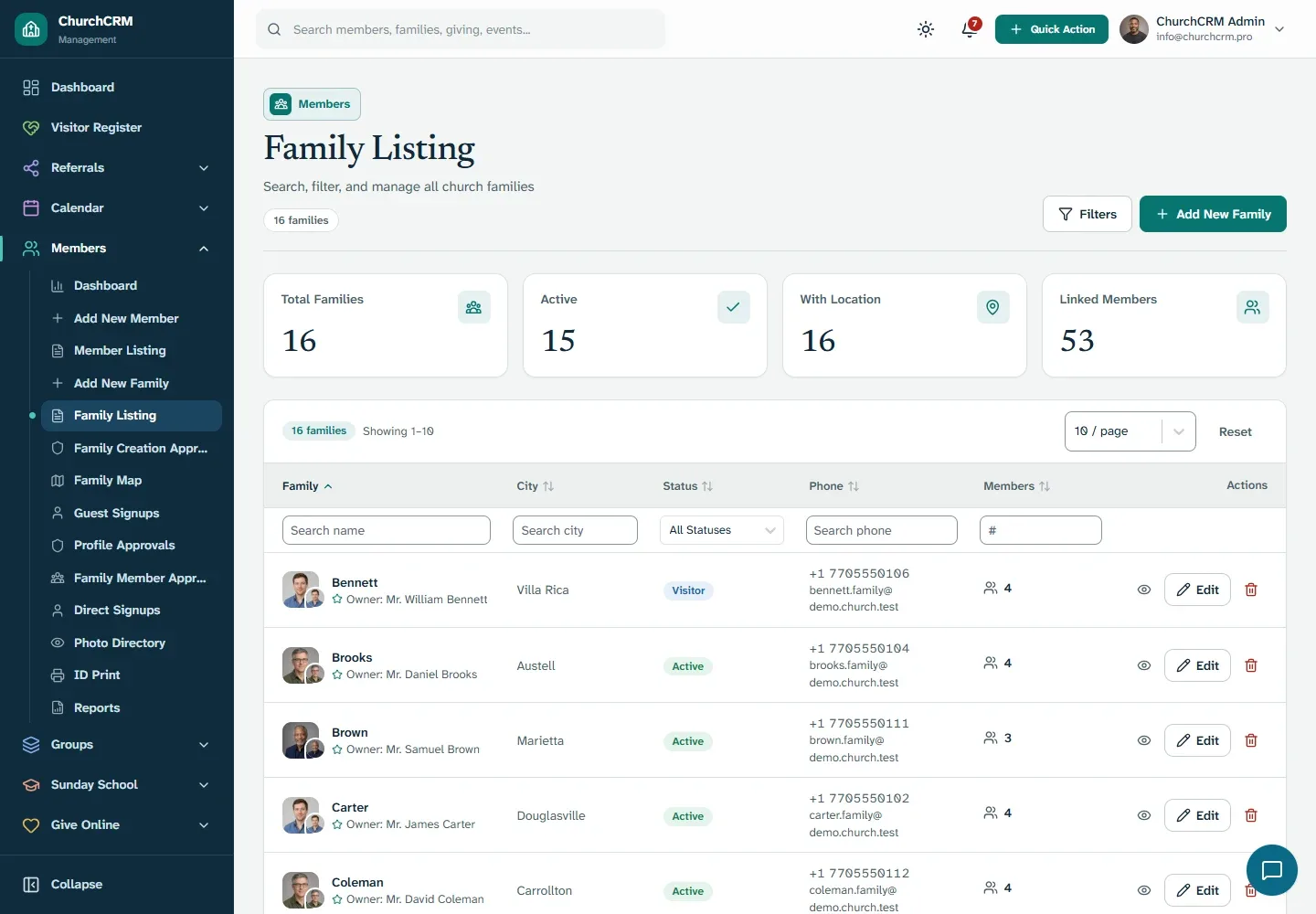
Church family records and household management for churches keep the owner, the people in the household, and the documents the office files with that family. A request to add a person, or a family registration church request for a new household, can wait for approval. Duplicate-name checks run before a second household is created by mistake.

Church CRM Admin portal screenshot: Family records
Family records

Photo directory

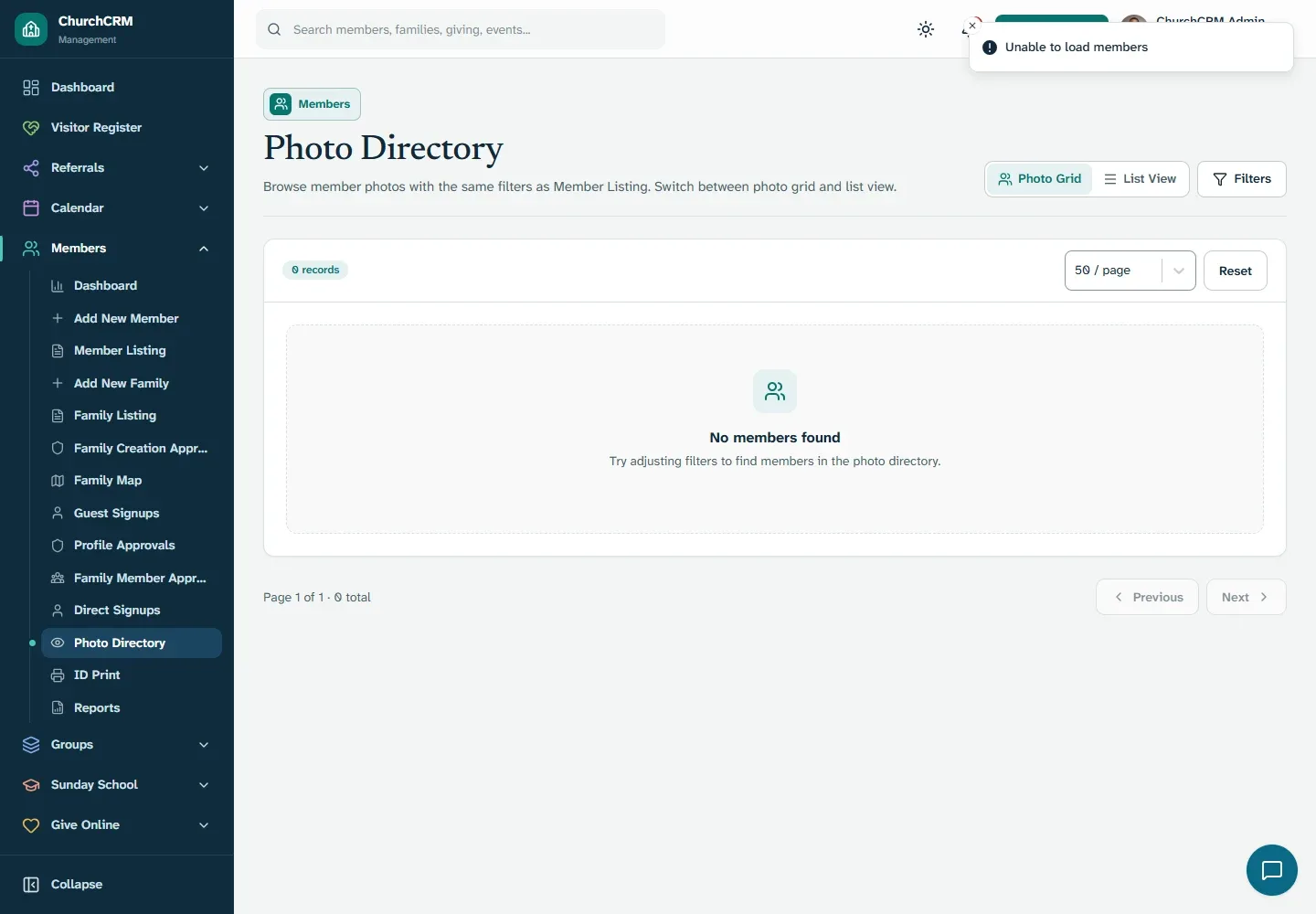
The church photo directory and online church directory put a face with every name, so a pastor can scan the congregation without reading a text list. Church directory software here is the same people record, shown as a grid the office can open on a Sunday afternoon when someone asks who a person is.

Church CRM Admin portal screenshot: Photo directory
Photo directory

Family map

The church family map plots households from the addresses already stored on the family record. Visits and care calls can be planned from those locations instead of a guessed street list. The map is a staff tool. It is not a public page of private addresses.

Church CRM Admin portal screenshot: Family map
Family map

Printable ID cards

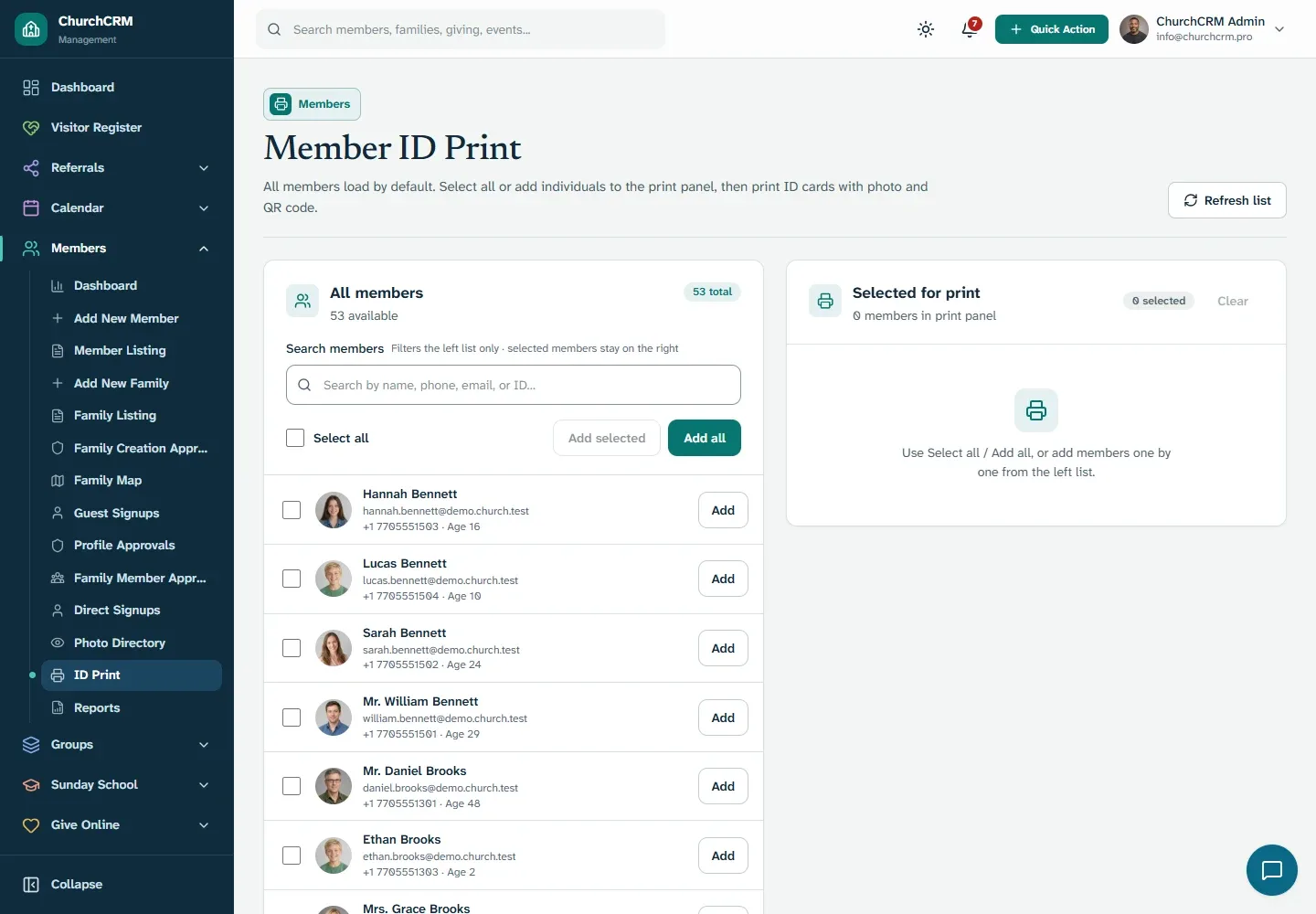
Printable church id cards and church member id cards use a CR80 layout with a QR code. Preview the card, then export PDF or PNG for the printer. Staff control the layout from this screen before anyone is asked to reprint a stack.

Church CRM Admin portal screenshot: Member ID card print
Member ID card print

Member self service

The member self service portal lets a person update a profile field or a photo without calling the office. The change can wait in the church approval workflow until staff accept it, so the directory does not change by surprise. The household still sees its own record while the queue is open.

Church CRM Member portal screenshot: Member profile
Member profile

The household card

A member opens their own ID card from the portal, including the QR code, without asking the office to print another copy. The card uses the same person record staff already keep. Staff still design and export the print layout from the admin screen.

Church CRM Member portal screenshot: Member ID card
Member ID card

See a household the way your office keeps it

Family links, photos, and the member portal can be shown with a sample household.

See the member portal

Request a demo

Tell us about your congregation. We will follow up about a walkthrough or a quote.

Country code

Or write directly to info@churchcrm.pro.