Contact us info@churchcrm.pro

Generosity

Online giving for churches, campaigns, and pledges

Online giving for churches belongs next to the people who give. Church CRM offers a public giving page, campaign links, pledges, and Stripe Checkout without a separate donations tool.

Two pairs of folded hands resting on an open Bible

Publish a church giving page or a unique campaign link with a goal and progress. Designate gifts to funds. Members give from the portal, including an optional class or session gift. Admins can review recent gifts and payment records, and send a payment request by email.

Stripe Checkout runs in live or test mode with webhook protection against duplicate events. When Stripe is turned off, a demo checkout is available for training. Confirmation emails thank the giver. Card numbers stay with Stripe.

Online giving for churches should land in the fund the treasurer already knows. Church donation software, tithe and offering software, and church pledge management sit beside the church giving page. Church campaign giving and recurring giving for churches use stripe donations for churches through the church stripe integration.

Church online giving software and church donation management software are that giving page. Church fundraising donation pages and church giving campaign software are the campaign links. Stripe church giving integration means Stripe Checkout. Card numbers stay with Stripe.


A quiet church nave with rows of wooden chairs, ring chandeliers, and tall arched windows

What your team can do

  • Giving page

    A public page anyone can open, plus the member portal flow.

  • Campaigns

    Token links, goals, and visible progress.

  • Funds

    Designate a gift to the fund your finance team already uses.

  • Pledges

    One-time, weekly, monthly, quarterly, or yearly intentions.

  • Stripe

    Checkout, webhooks, and no stored card numbers.

  • Receipts

    Branded donation confirmation emails.

Inside Online Giving

Each screenshot is paired with the work your team does on that screen.

Give Online for staff

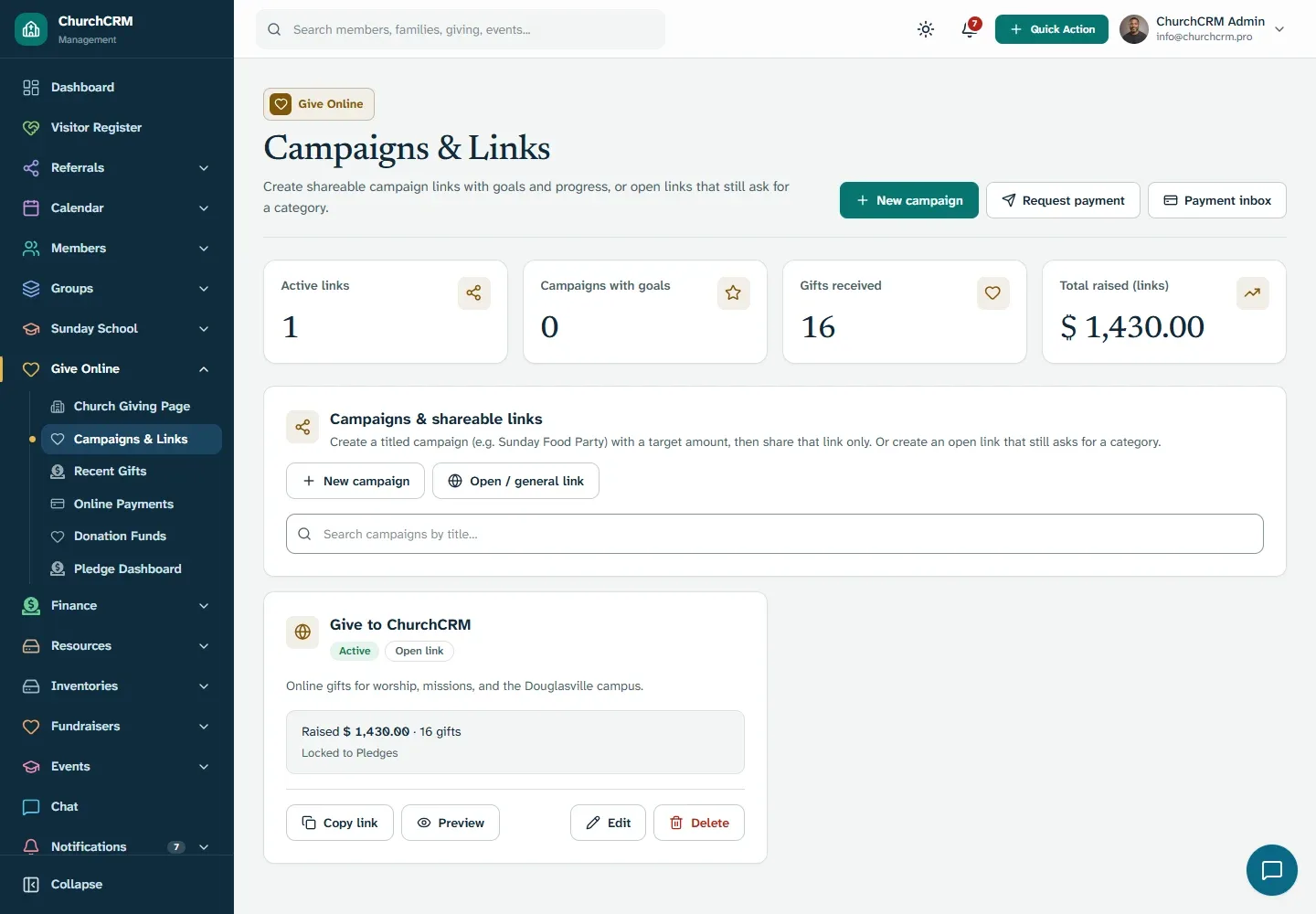
Staff review the giving page, recent gifts, and payment records without opening a separate donations tool. A payment request can be sent by email from this workspace. Card numbers are not stored here. Stripe Checkout, when it is turned on, is what processes the card.

Church CRM Admin portal screenshot: Give Online admin
Give Online admin

Giving page

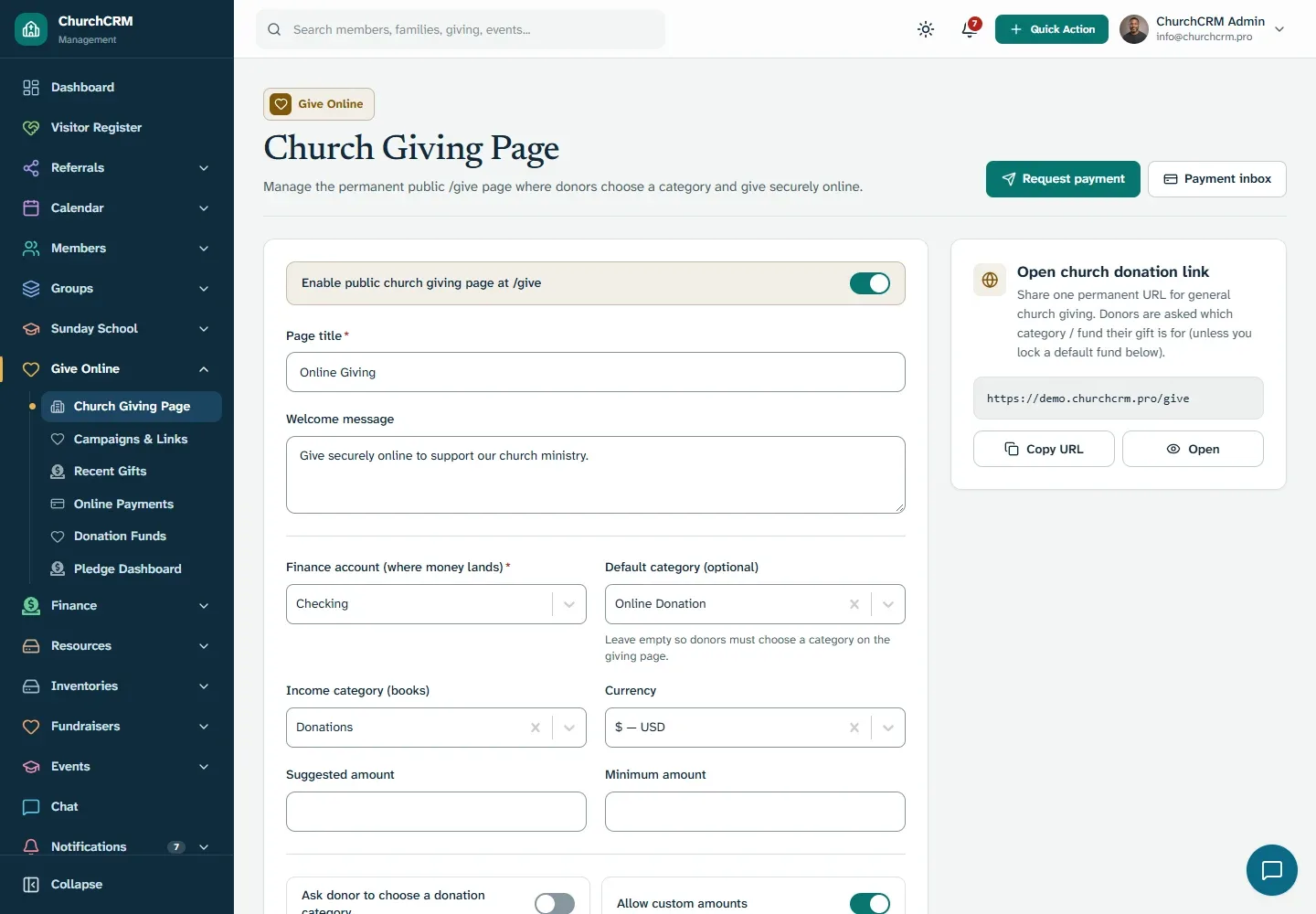
Online giving for churches starts on the church giving page. Church donation software here also supports a public link that does not need a staff password, so a guest can give without an admin account. Confirmation emails thank the giver. When Stripe is turned off, a demo checkout is available for training and is not a live charge.

Church CRM Admin portal screenshot: Church giving page
Church giving page

Campaigns

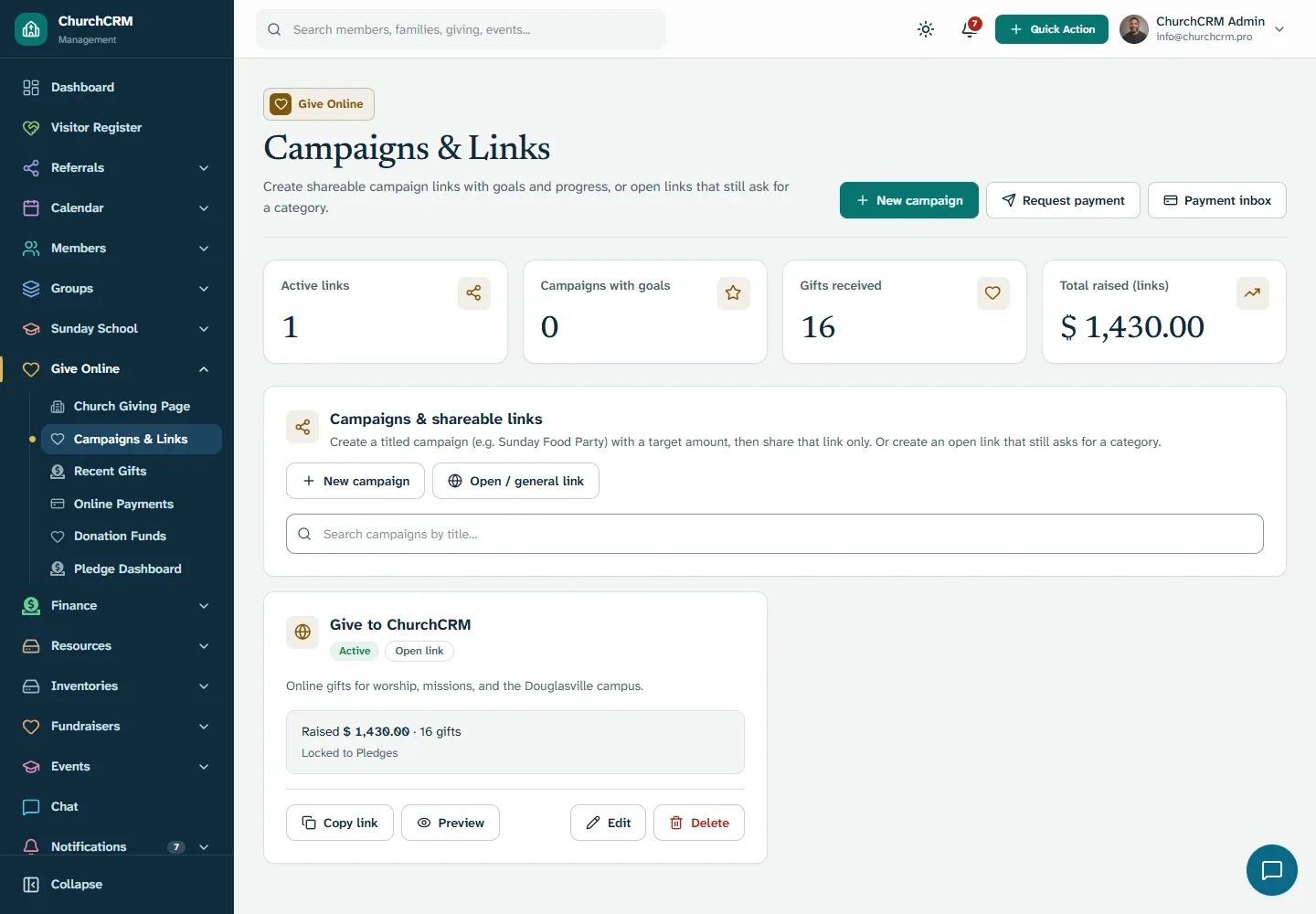
Church campaign giving tracks a goal and progress on a token link you can share. Recurring giving for churches can be pledged weekly, monthly, quarterly, or yearly through church pledge management. The campaign uses the funds your finance team already named, rather than a second list of designations.

Church CRM Admin portal screenshot: Giving campaigns
Giving campaigns

Funds and Stripe

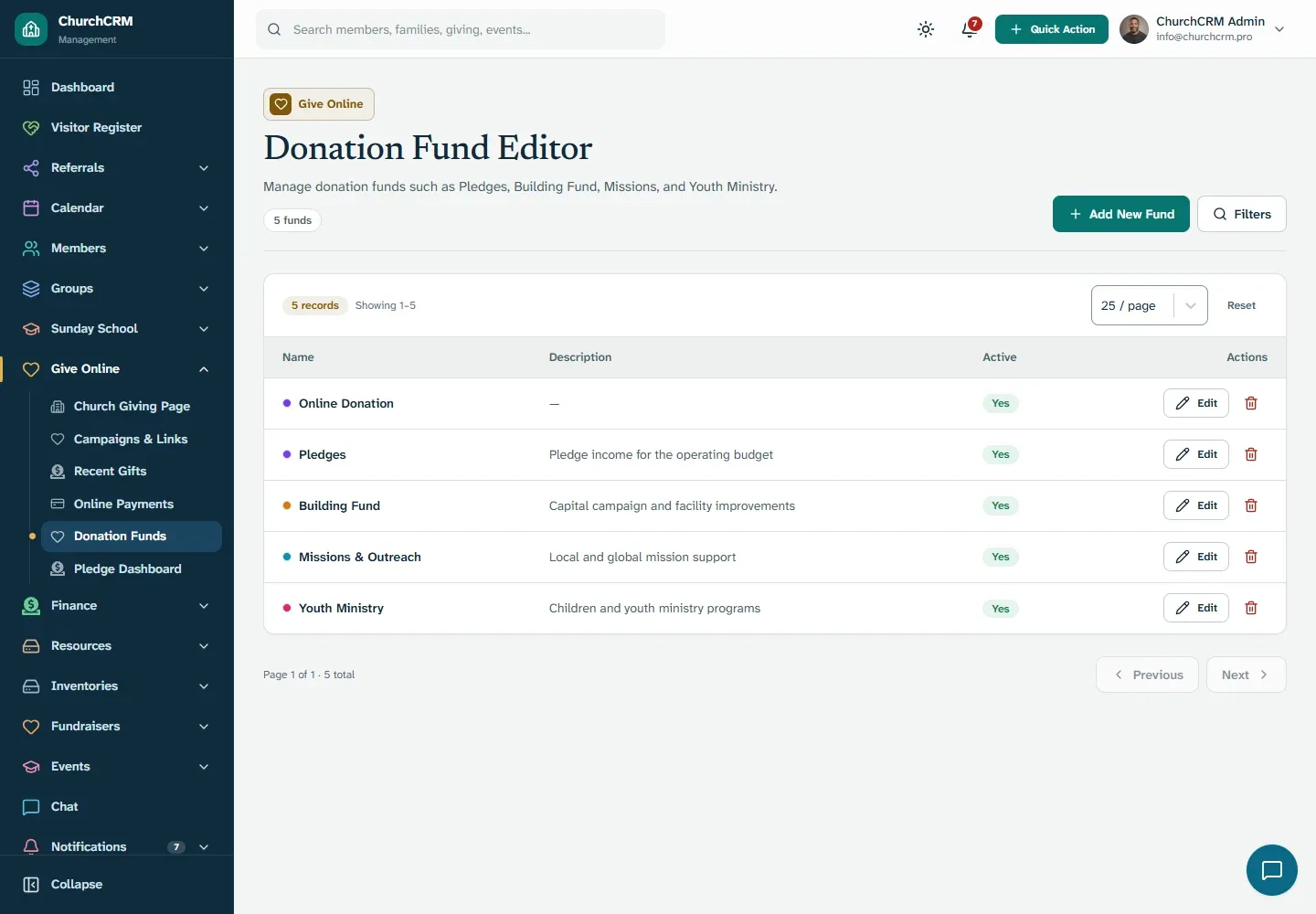
Tithe and offering software designations match the funds your finance team already uses, so a gift lands on the right account. Stripe donations for churches and the church stripe integration use Checkout in live or test mode, with webhook protection against a duplicate event. Full card numbers stay with Stripe.

Church CRM Admin portal screenshot: Donation funds
Donation funds

Give from the portal

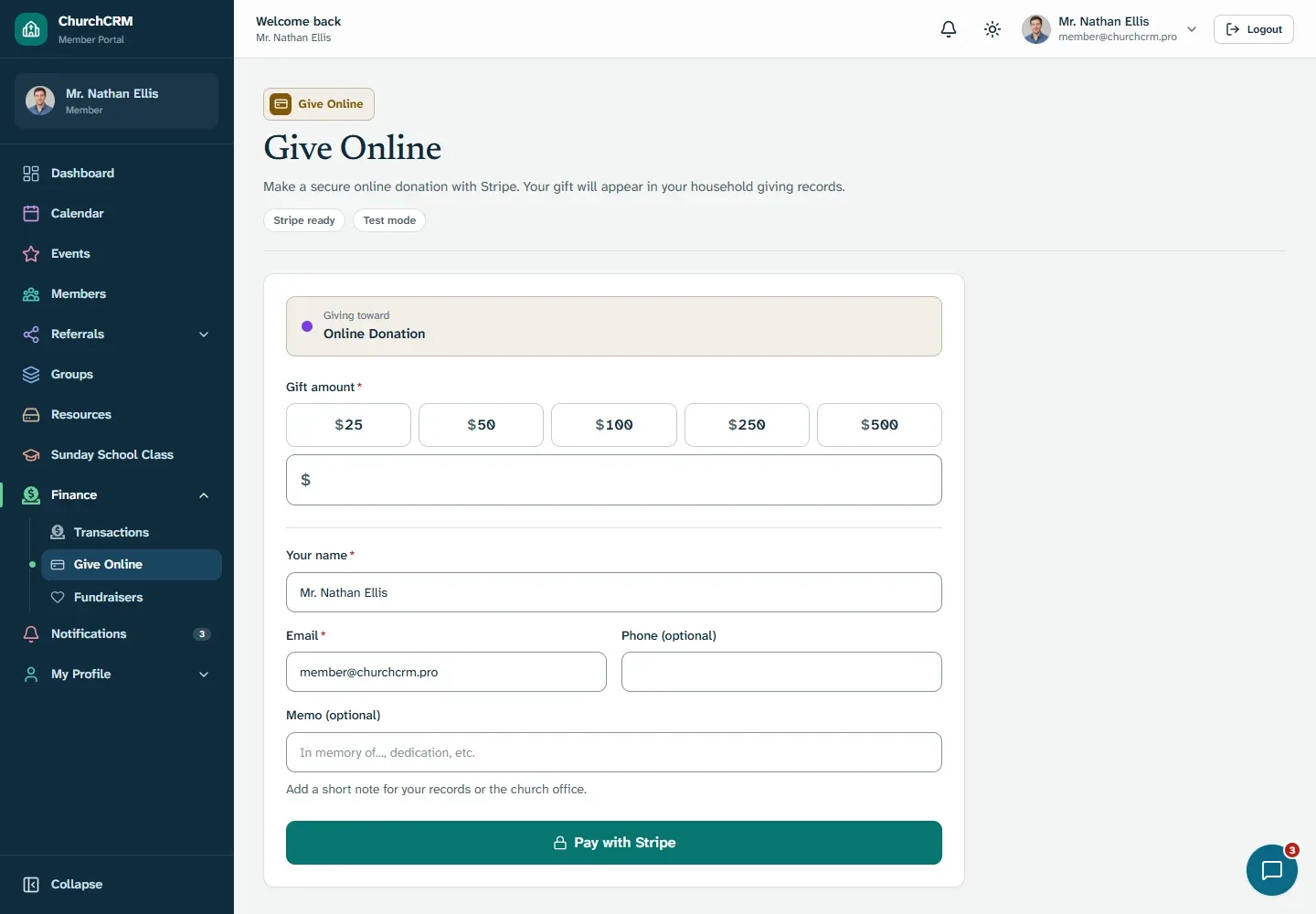
Members give from the same login they use for their household, including an optional class or session gift. They see their own giving path, not the church ledger and not another household’s gifts. The public giving page remains available for someone who is not signed in.

Church CRM Member portal screenshot: Member Give Online
Member Give Online

See a campaign gift from the link to the thank-you

Public giving does not need a staff password. The gift can still appear for the treasurer.

See church finance

Request a demo

Tell us about your congregation. We will follow up about a walkthrough or a quote.

Country code

Or write directly to info@churchcrm.pro.