Staff sign-in
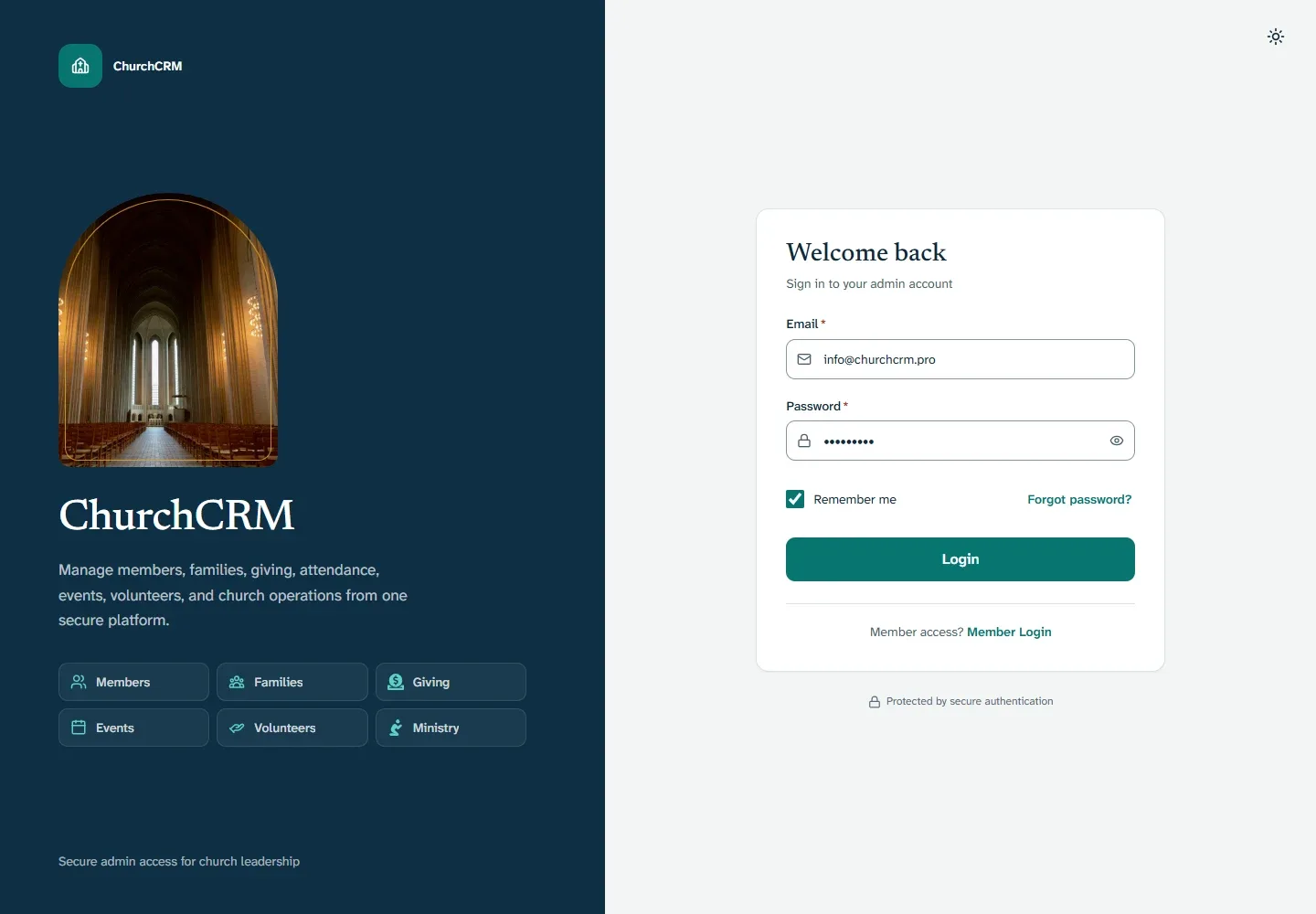
Staff sign in on their own screen. A member password does not open this login or the ledger.
Security
A secure church database separates staff authority from member access, keeps card numbers with Stripe, and gives children’s ministry a check-in path parents can understand.

Staff, members, and guests each open a different door. A member password never reaches the ledger.
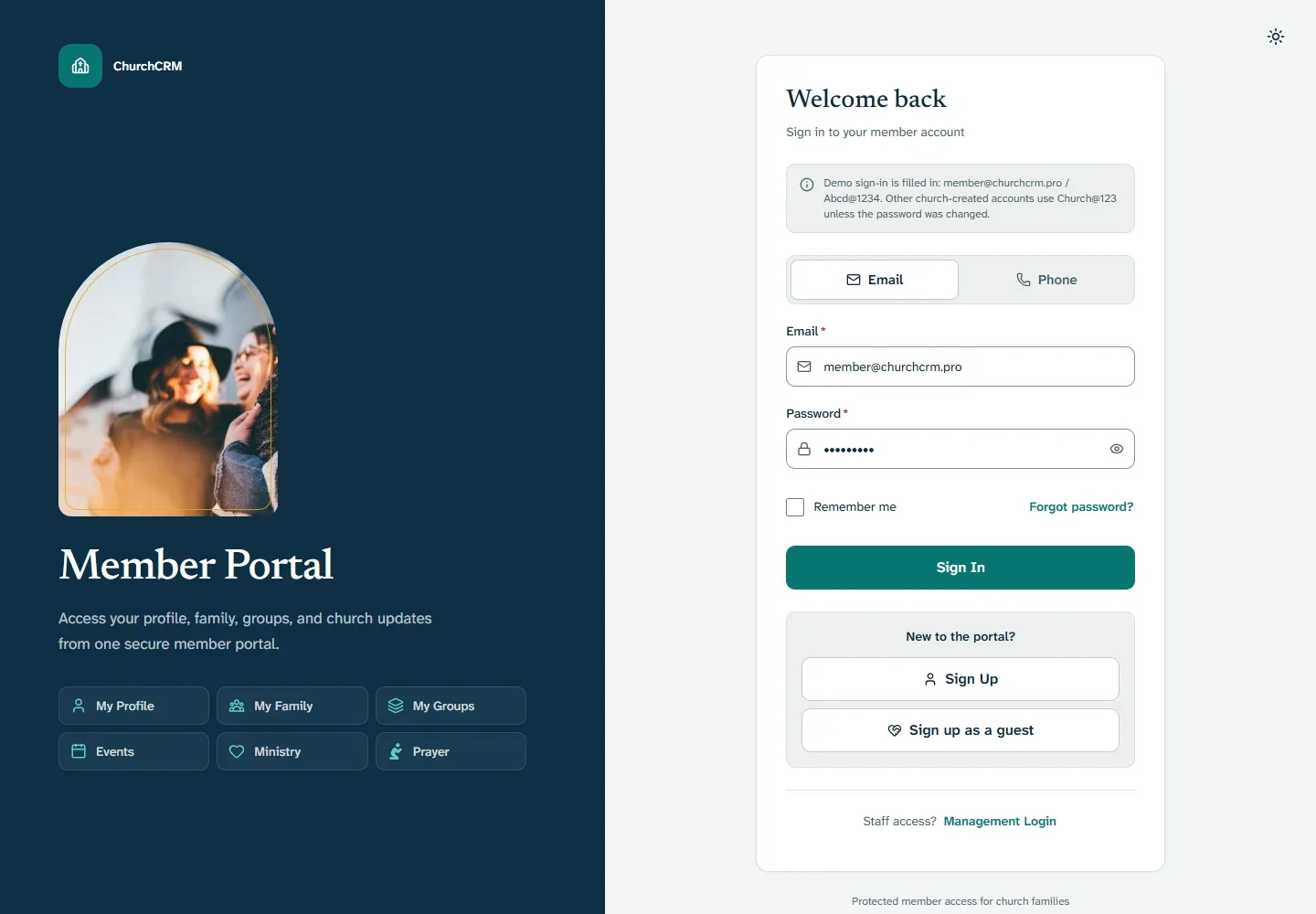
Admin users and congregation members authenticate separately. A member password does not open the staff ledger.
Premium includes a matrix for view, create, update, delete, manage, reports, and check-in on each module. A children’s leader does not need finance access.
Profile edits, added family members, and new households can wait for a staff decision before they change the directory.
Event check-in records guardians and can show allergy, diet, and medical notes. Badges use security codes for pickup.
Stripe processes cards. Church CRM stores the gift record, not the full card number. Use HTTPS for login, giving, and video on your live site.
Camera and microphone turn on only after the person allows them for a one-to-one call.
Church name, logo, colors, and login text are settings, so the portal looks like your congregation.
An install and update wizard, health check, and repair tools exist for the team hosting Church CRM.
Staff sign in on their own screen. A member password does not open this login or the ledger.
Members sign in to their household. This screen does not open staff finance, roles, or another family’s record.
Church reporting software and church excel reports cover membership growth reports, church demographics reports, and new member reports. Church roster software sits with the church leadership dashboard so leaders are not exporting a private spreadsheet.
A secure church database and church data protection depend on role based access church settings and church permission management. Church admin software opens the church staff portal. The church member portal is the household door. Software for pastors, software for church administrators, and church secretary software describe the same system for different desks. Church CRM for small churches and church CRM for growing churches use the same sign-in, and church office software is the name the front desk uses.
Church branding settings, church crm pricing, a church family map, church birthday reminders, and church anniversary reminders live with the people record. Church allergy and medical notes travel with child check-in. Church global search finds a person, a group, or an event without opening every menu.
Church attendance reports and church membership reports export with the other rosters. Church member ID card software prints church QR ID cards. Church role-based access software and church user permission management are the Premium role matrix. The church administration dashboard is the first staff screen. Church email template management sends mail you have configured in SMTP. Custom branded church management software, here, means your church name, logo, and colors on these screens.
Host Church CRM on HTTPS, limit admin roles to the people who need them, and decide which profile changes require approval. Train greeters to use the check-in kiosk rather than a shared staff login on a tablet. Review Stripe in test mode before you publish a giving page.
The marketing website you are reading does not store member records. Those live in your Church CRM installation.
Staff permissions, member sign-in, and pickup codes can be walked through for your team.